


Ever felt like your WordPress site is slowing you down?
You’re not alone. According to a report by Portent, the conversion rate on a website drops by 4.42% for every second that it takes to load. Ouch.
Headless WordPress fits in there.
It’s a new way to use It keeps content management (back-end) separate from design and user experience (front-end). The result? Faster sites, more flexibility, and better performance across devices.
But before you jump on the headless bandwagon, you need the full picture.
In this blog, we will check out the benefits and drawbacks of adopting headless We will also show you how to get started. This is for developers, content managers, or anyone curious about the future of web development.
Let’s dive in.
What Is Headless WordPress?
Imagine your website as a restaurant.
Traditional WordPress is like a kitchen and dining area all in one. Everything—from cooking the food (managing content) to serving it (displaying it on the site)—happens in the same space.
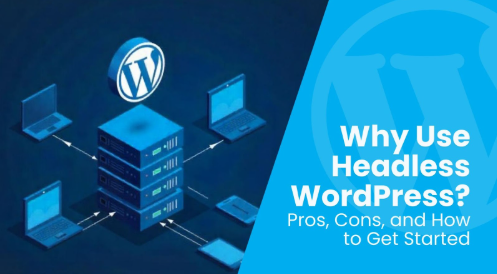
Headless WordPress splits this up. The “kitchen” (your WordPress admin) still prepares the content. But the “dining area”—how that content is served to your users—is entirely separate. This front-end can be built with modern JavaScript frameworks like React, Vue, or Next.js.
In simple terms:
👉 Headless WordPress = content management with WordPress + custom front-end via API.
👉 Traditional WordPress = CMS and front-end tightly coupled in one system.
This separation gives developers more control over speed, design, and delivery channels.
Here’s how they differ:
| Feature | Traditional WordPress | Headless WordPress |
| Front-end Tech | PHP + Themes | JavaScript frameworks (React, etc.) |
| Flexibility | Limited to theme/plugin ecosystem | Fully customizable |
| Speed Optimization | More challenging | Easier with modern tooling |
| Omnichannel Ready | No | Yes (web, apps, kiosks, etc.) |
How Headless WordPress Works
Let’s say you run a coffee shop. Your kitchen prepares drinks and pastries, while your delivery team takes those orders wherever they need to go—be it your shop, a mobile van, or even a customer’s home.
That’s exactly how headless WordPress works.
The WordPress admin (back-end) becomes your kitchen—it stores and manages content. This part stays the same.
What changes is the front-end—the part your users see. Instead of being tied to PHP themes, content is delivered via the REST API or GraphQL to any platform or device you want.
Want a React-powered website? Done. Need content on a mobile app or smartwatch? Totally possible.
Here’s the simplified technical setup:
- WordPress acts as the content repository (your source of truth).
- REST API or GraphQL serves as the bridge between content and presentation.
- JavaScript frameworks like React, Vue, or Next.js build fast, modern front-ends.
This architecture is why WordPress development experts recommend headless setups for projects demanding performance, flexibility, and scalability.
Pros of Headless WordPress
Now that you understand how it works, let’s explore why developers choose headless WordPress over the traditional setup.
Each advantage makes a strong case for going headless—especially if your goals include speed, control, and future-proofing.
Improved Performance and Speed
When your front-end isn’t weighed down by WordPress’s theme and plugin system, things get lightning fast.
With tools like Next.js and static site generation (SSG), you can serve pages almost instantly. This is one of the biggest performance benefits of headless CMS setups.
Better Security
Since your front-end is completely decoupled from WordPress, there’s no direct exposure to traditional vulnerabilities like plugin exploits or login attacks.
Hackers can’t access what they can’t see. This separation adds a significant security layer.
Omnichannel Content Delivery
Headless WordPress lets you push the same content to multiple platforms: websites, mobile apps, digital kiosks—even voice assistants.
This flexibility makes it ideal for brands that want to scale their content beyond just the web.
Developer Flexibility and Custom Frontends
Forget rigid themes. Developers can build the front-end however they want, using modern JavaScript frameworks and tools.
This unlocks true creative freedom while still benefiting from WordPress’s content management power.
Headless setups also make it easier to integrate cutting-edge tools, like AI plugins for ecommerce, giving online stores a smarter, more personalized user experience.
Scalable Architecture
Headless WordPress grows with you.
As your business expands or your traffic spikes, you can scale each part (front-end, back-end, hosting) independently. That’s a huge win for high-traffic sites or growing platforms.
Cons of Headless WordPress
We’ve covered the upside, but it’s not all sunshine and speed.
Going headless comes with its own set of challenges. Here’s what you should consider before committing:
Higher Development Costs
Headless WordPress isn’t plug-and-play.
You’ll need developers to build a custom front-end from scratch. That means more hours, more planning, and yes—more budget. For startups or small businesses, this can be a deal-breaker.
Requires Technical Knowledge
A traditional WordPress site can be launched without touching a line of code. Not here.
You’ll need front-end developers who are familiar with frameworks like React or Vue, plus experience working with APIs. If you’re a non-technical user, it might feel overwhelming without a dev team.
More Complex Maintenance
You’re maintaining two separate systems now: the WordPress back-end and the front-end app.
That means handling version updates, bug fixes, deployments, and hosting for both. It’s more control, but also more responsibility.
Loss of WordPress Plugins/Theme Ecosystem
One of WordPress’s superpowers is its vast ecosystem of themes and plugins. Headless setups don’t play well with many of them.
For example, page builders, sliders, SEO plugins, and contact forms that rely on PHP or direct rendering won’t work out of the box on a headless front-end.
Still curious if this setup is for you? Let’s help you decide.
Is Headless WordPress Right for You?
There’s no one-size-fits-all answer. With the right setup and help from a skilled WordPress VIP agency, you can make a choice that meets your needs, goals, and skills.
✅ Use This Quick Checklist:
- You need ultra-fast site speed
- You want to deliver content to multiple platforms (e.g., app, website, kiosk)
- You have access to developers (in-house or agency)
- You’re building a custom UI/UX
- You’re comfortable with API-based workflows
If you checked 3 or more boxes, headless WordPress might be a great fit.
Tailored Advice by User Type
For Developers
If you love using modern frameworks, care about performance, and want full control over the front-end—go headless. It gives you the freedom to innovate without being tied to PHP.
For Content Teams
If your team relies heavily on WordPress plugins, visual editors, or drag-and-drop builders, you’ll face a learning curve. Consider a hybrid setup or plan for training and custom workflows.
For Large-Scale Websites
Big brands with busy platforms or many content channels, like e-commerce and news sites, gain the most from a headless approach.
For Simple Blogs or Portfolios
Stick to traditional WordPress unless you have a unique use case. Going headless might be overkill for small, static sites.
Wrapping up,
Headless WordPress is redefining how modern websites are built.
It provides faster load times and better security. You can also design your digital experience your way. You won’t be limited by themes or plugins. But it also demands a solid technical foundation and strategic planning.
So, is it right for you?
If you are a developer, a business, or a brand with lots of content, consider headless It offers full control and speed.
And if you’re looking for a partner to guide you through the transition, Icecube Digital is your go-to team. As a top WordPress development company, we help businesses build blazing-fast, future-ready web experiences that deliver results.